
How do I use the app?
First Steps: Sign-up & Setup

From the Fleet Manager's Perspective
Download the DKV InstantFuel App and sign in with your PACE ID (email and password). Use the same PACE ID you used to register for your subscription in the dashboard.
Accept the Terms of Use.
Select your preferred fuel type (e.g., Diesel) to view prices directly in the app. You can change this selection at any time in the settings.
Your credit card is stored in the app as the default DKV InstantFuel payment method.
Search for a gas station near you and start the fueling process.

From the Driver's Perspective
You have received a registration link via email. Click the link to complete your registration.
Download the DKV InstantFuel App and sign in with your PACE ID (email and password).
Accept the Terms of Use. As soon as your fleet manager has confirmed your status in the dashboard, the payment function will be activated.
Select your preferred fuel type (e.g., Diesel) to view prices directly in the app.
How does fueling with the app work?

Step-by-Step Guide to Mobile Payment
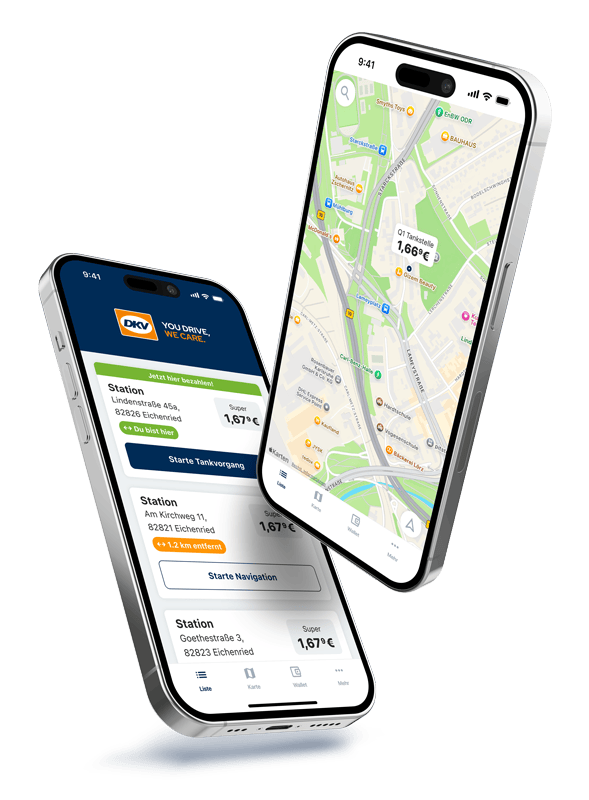
Use the map in the app to find a partner station. You can view current prices and start navigation directly from there.
Once you arrive at the station, the app recognizes your location ("You are here") and automatically switches to fueling mode.
Tap the "Start fueling process" button in the app.
Select the number of the pump you are using.
Fuel your vehicle as usual.
After hanging up the nozzle, tap "Securely pay now!" in the app.
You will receive a digital receipt in the app immediately and can be on your way.
Download the free app now


Where can I find my fuel receipts?
All receipts are stored digitally. You can find an overview of your payments in the app under “Wallet” > “Transaction List.” This section includes details such as date, amount, fuel type, and station location. Additionally, all data is automatically transferred to your fleet manager for accounting purposes.
Why was a higher amount reserved on my card?
This is a pre-authorization (often around €120) to ensure that the payment is covered.
- Don’t worry: This is only a temporary hold. You will only be charged for the actual amount of fuel you pumped.
- The difference is usually released within 24–48 hours (depending on your bank, it can take up to 7 days).
What should I do if the app doesn’t work at the pump?
If the app crashes or loses its connection, please pay for your fuel at the shop as usual (using cash or your own card) to ensure you can continue your journey without delay.
Why can I not pay ("Payment declined")?
This can happen if the credit card stored by the fleet manager has expired or has insufficient funds. It may also occur if you, as a driver, have not yet been confirmed by the manager in the dashboard. In this case, please contact your supervisor or fleet manager.